The Configuration menu item in Linkar MANAGER opens to a set of tabs:
•EntryPoints : This includes definitions for both Profiles and the EntryPoints within them.
•Users : These are users authorized to access Linkar Suite via the Manager, Linkar Clients, or the REST API.
•Linkar Config : Details for accessing the Manager and the Server.
•Activation : Maintenance of Linkar licences.
•Plugins : Separate products which use Linkar as a primary data access component
•Alarms : Configuration of outgoing email account for sending alarm messages to the Admin
•Master Parameters : Parameters used by Linkar Functions to represent the data.
•Dynamic Arrays; Management (create, modify, delete, import and export) for the Dynamic Arrays.
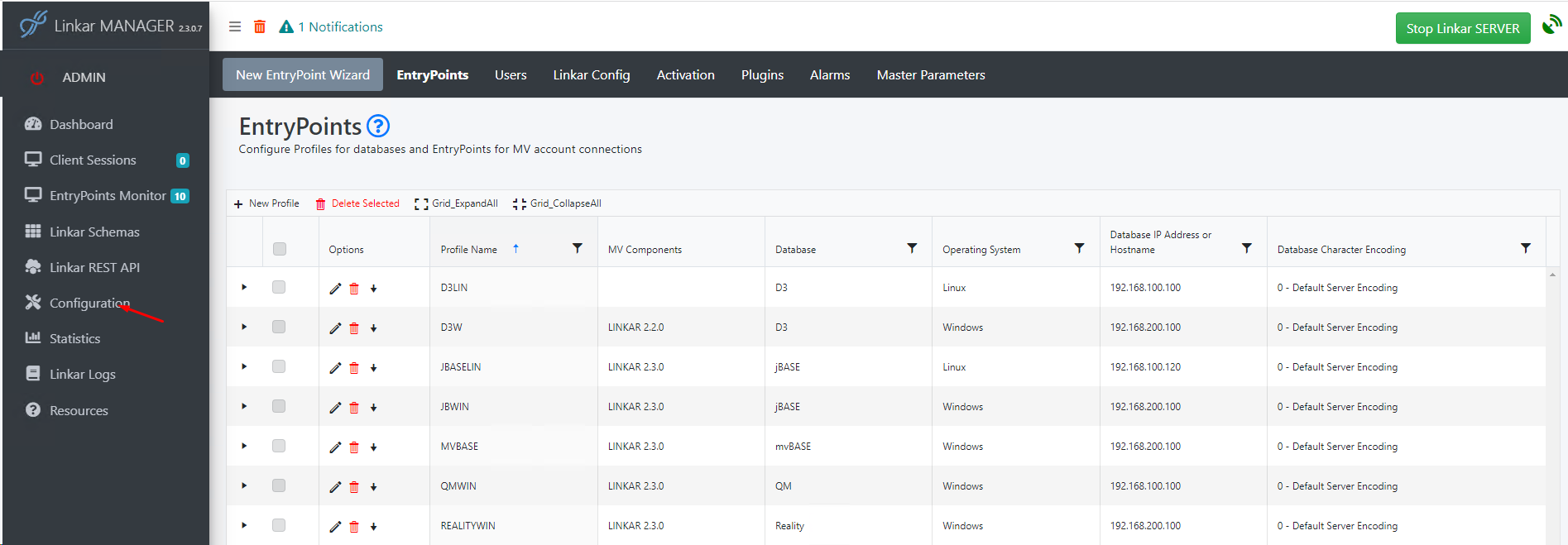
At the far left of this set of tabs is a button for the New EntryPoint Wizard to guide the administrator through all fields.
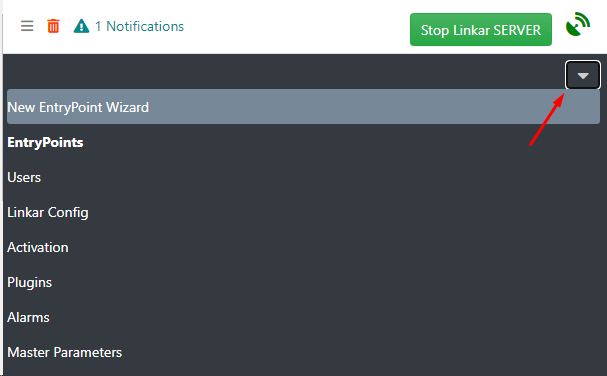
Tip: If the tabs are not seen at the top of the page, look for the dropdown/arrow icon:
On first opening the Configuration area, the EntryPoints configuration grid shows available Profiles and includes a + New Profile button.
From Profile configuration, options are available to install the MV Components to the defined DBMS server.
With the DBMS server defined and MV Components installed, a new EntryPoint can be configured.
The administrator will start on this page, and continue on to the next pages, to:
•Create a Profile to define a DBMS Server.
•Install MV Components in a LINKAR account in each profile server.
•Enable accounts for use with Linkar, creating pointers to the Linkar account.
•Create EntryPoints within a Profile to access DBMS accounts using a preferred Connection Type.
•Activate Linkar with Lite or PRO licences.
•Use MV databases as a data source from Plugins.
With a Profile and EntryPoint configured and verified, click the red Start Linkar Server button at the top-right of the Manager.
If there are errors, please see the topics under Installation: Check Services and Error Messages.
See Network Issues and Permissions for possible issues related to firewalls and TCP ports.
