Logging to text files is managed through the Serilog service. The following image shows the available options.
You can read more about Serilog here.
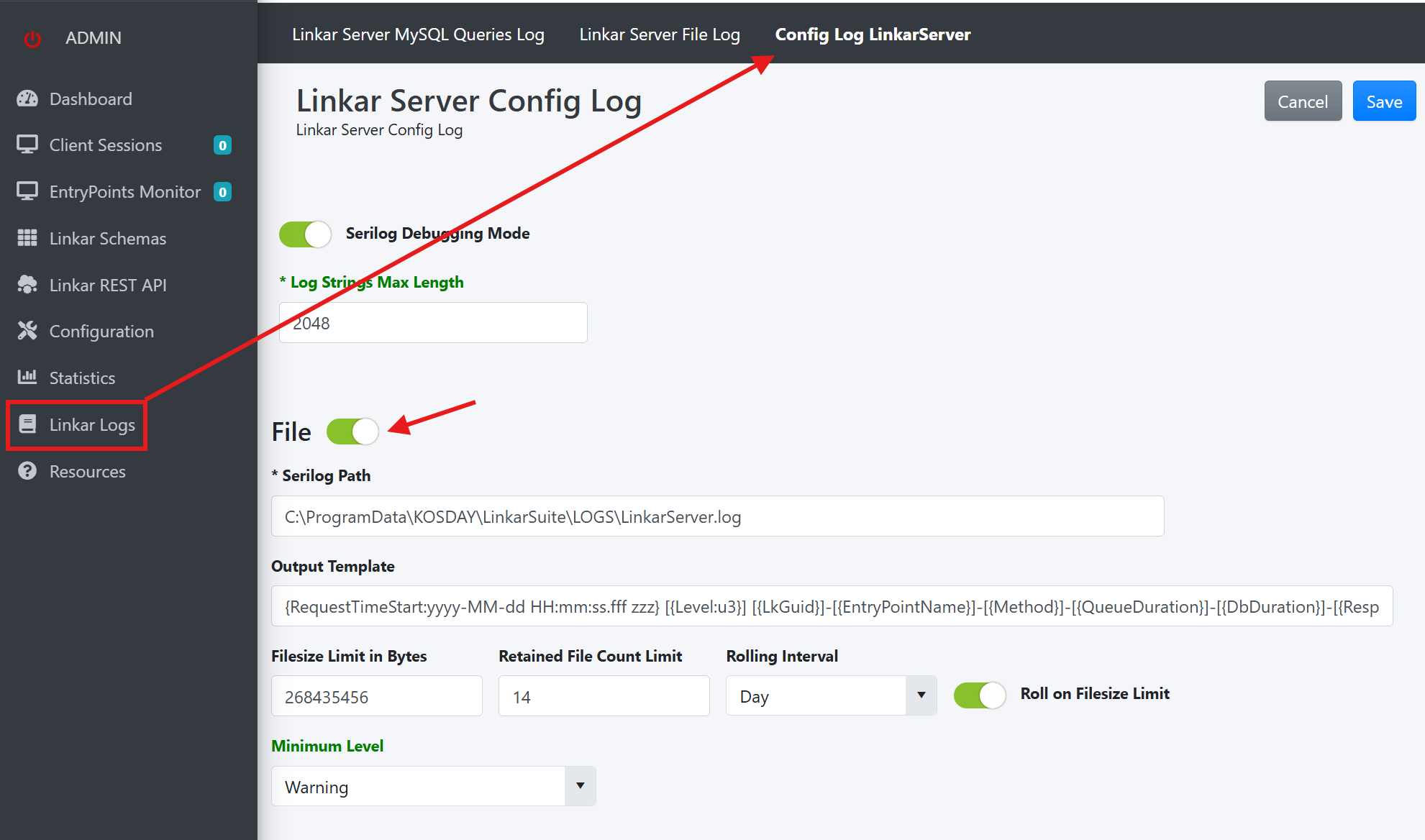
Field |
Type |
Description |
Serilog Path |
Required |
The complete system path to the log configuration file. The default path changes with the operating system in the system where LinkarServer is installed: •Windows: %ProgramData%\KOSDAY\LinkarSuite\LOGS •Linux: /etc/KOSDAY/LinkarSuite/LOGS Serilog will add the date at the end of the file name. |
Output Template |
Optional |
A template for the line structure of the log text file. This template accepts literal values and Serilog standard properties, as well as properties created specifically for LinkarServer. The properties have to go in braces, e.g. {EntryPointName}. The full list of properties can be found here. |
Filesize Limit in Bytes |
Number |
The max size in bytes for each log file. When this size is reached no more data will be stored in the log file. |
Retained File Count Limit |
Number |
The max number of log files that will be kept. |
Rolling Interval |
Button |
Specifies the interval at which new log files will be created. |
Roll on Filesize Limit |
Button |
Enabling this option will create a new file when the log file reaches the max file defined in the "Filesize Limite in Bytes" property. If not enabled no new log file will be created until reached the next interval defined in the "Rolling Interval" property. |
Minimun Level |
Select |
Serilog categorizes the information sent to the logs in different levels, according to the impact and importance of each entry. Setting the minimum level will exclude information above this level from the logs. For example a minimum level of "Warning" means Serilog will only log "Warning", "Error" and "Fatal" messages. LinkarServer sends data at the levels of "Information", "Warning" and "Error". |
In order to apply these changes they must first be saved via the "Save" button. The options that can be changed without having to restart LinkarServer are marked in green, any change to other options will require LinkarServer to be restarted.
Once the File Logs have been configured and LinkarServer is running any activity will start sending data to the log files. If the "Minimum Level" was configured to "Warning" data will only be logged when warnings or errors occur. You can test if the logging is working by setting the "Minimum Level" to "Information", which will log any operation to the file.
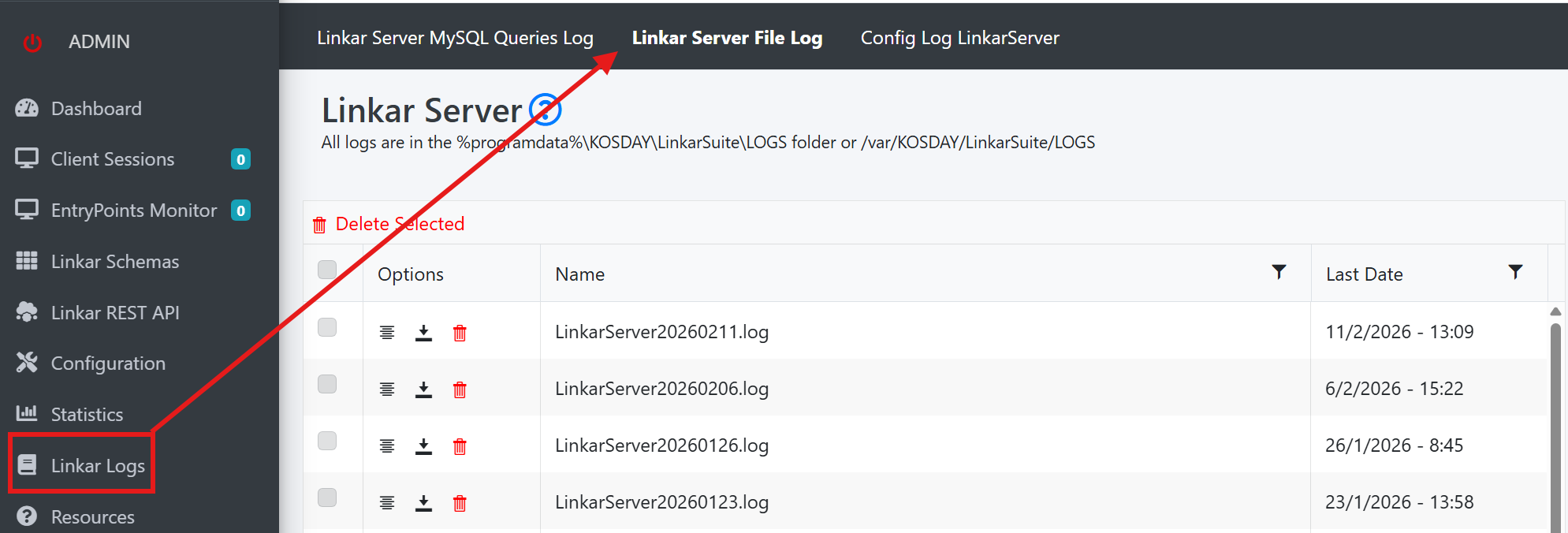
The buttons in the "Options" column allow you to view, download or delete the log file. The log file that is currently in use by Serilog can NOT be deleted, instead its contents will be cleared.
