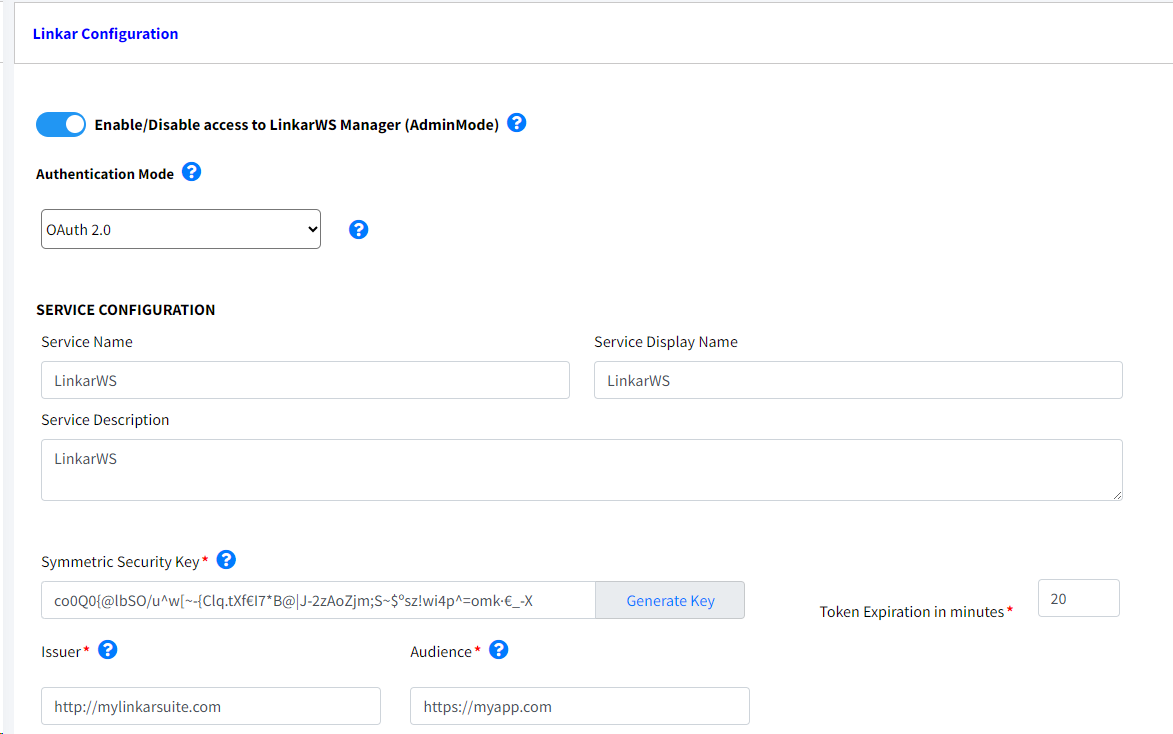
From this section we define the Authentication Mode with which the APIs that will be executed in the same LinkarWS instance will work.
Field |
Type |
Description |
Admin Mode |
Switch |
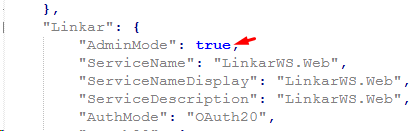
Use this option to enable/disable access to LinkarWS Manager, to avoid unwanted login attempts. If this option is disabled, it will be necessary to access the AppSettings.json file and set the 'AdminMode' field to true in order to access LinkarWS Manager again.
|
Authentication Mode |
Required |
None, ApiKey, OAuth 2.0, IdentityServer4 |
Create Service Delete Service |
Button |
The Create Service option allows the installation of a Service from where LinkarWS is executed. The Service data is mandatory. |
Service Name |
Required in Service Mode |
The name of the Service. Only numbers and letters are accepted |
Service Display Name |
Required in Service Mode |
The literal that will appear in the machine's list of services |
Service Description |
Required in Service Mode |
A brief description of what the API does |
In case of choosing OAuth 2.0 Authentication Mode, below fields are required:

Field |
Type |
Description |
Symmetric Security Key |
Required |
Key used to both encrypt and decrypt the information coming from the Client. It must be at least 64 characters long. More information at https://openid.net/specs/openid-connect-core-1_0.html#SymmetricKeyEntropy |
Token Expiration |
Required |
Lifespan in which the token generated by the authentication will be valid. The value must be expressed in minutes. |
Issuer |
Required |
Issuer Identifier for the Issuer of the response. The iss value is a case sensitive URL using the https scheme that contains scheme, host and, optionally, port number and path components and no query or fragment components. For instance https://myoauth20.api.com More info in https://openid.net/specs/openid-connect-core-1_0.html#IssuerIdentifier |
Audience |
Required |
The audience value is a string in most of the cases. It's the base address of the resource being accessed, such as https://test-api. The audience (presented as the aud claim in the access token) defines the intended consumer of the token. This is typically the resource server (API, in the dashboard) that a client (Application) would like to access. More info in https://www.rfc-editor.org/rfc/rfc7519#section-4.1.3 |
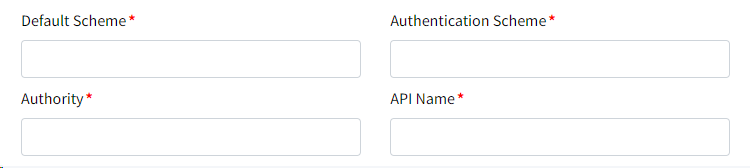
The fields for the IdentityServer4 Authentication are:
Field |
Type |
Description |
Default Scheme |
Required |
Value provided by IdentityServer4. More info at https://identityserver4.readthedocs.io/en/latest/index.html |
Authentication Scheme |
Required |
Value provided by IdentityServer4. More info at https://identityserver4.readthedocs.io/en/latest/index.html |
Authority |
Required |
Value provided by IdentityServer4. More info at https://identityserver4.readthedocs.io/en/latest/index.html |
API Name |
Required |
Value provided by IdentityServer4. More info at https://identityserver4.readthedocs.io/en/latest/index.html |
